Download TraxxTool Community Edition · free
The full free toolkit, with no account needed to build. Everything is bundled: the audio engine, ffmpeg, and native processing. Windows, macOS and Linux. Works with Stage Traxx 4.0 and 4.1.
On a phone or tablet?
TraxxTool is a desktop app for Windows, Mac and Linux. Email yourself the link and open it on your computer.
ShowVizz, the stage player, runs on iPad, iPhone and Android. Get ShowVizz
Windows
Windows 10 / 11 · 64-bit
SmartScreen may warn on new downloads. Click More info, then Run anyway, and verify the SHA-256 below if you like.
macOS
Apple Silicon: macOS 13+ · Intel: macOS 12+
Not sure? Apple menu, About This Mac: "Chip" means Apple Silicon, "Processor" means Intel.
Open the .dmg, drag TraxxTool to Applications, then right-click and Open the first time (the app is not notarized with Apple, so macOS asks once). Everything is bundled, with no extra installs.
Linux beta
x86-64 · recent glibc · untested beta
Extract and run ./TraxxTool. ffmpeg is bundled (static build). An X11 or Wayland desktop is required.
Verify your download (SHA-256)
Windows installer: 0e93d4735a5ae6814e4b3f6919de756163f5c259815d8b77eb1386c22ece867c
Windows portable: 87fcbdd2644651ffb9b1420f52198083091b5da05762750bd6cca45815d66231
macOS (Apple Silicon) dmg: 1bd63bbc0c8b4a230d764ce141b0c50edf8e39070a42c3b5e923248bde99fed2
macOS (Intel) dmg: 3fe547816d42bb1a0c5fd612b215fc5422d1e610eff75356e3cfdab687c38257
Linux tar.gz: 26c8fdd3b4a2389b6e4b591fc71cce676df0cbd9586878840d5061770641fbe2
The Linux build is a beta and has not had the testing the Windows and macOS builds have. Found an issue? Tell us.
Prefer to read first? The User manual (PDF) is also installed with the app.
Curious what changed in v2.52.0? Read the changelog. Already running TraxxTool? It can update itself: Settings, then General, then Updates.
Need a specific earlier build? Every version we have published is kept on the older releases page.
Five rooms, one flow
Get the stems in, get them stage-ready, wire up your gear, and get it onto the iPad.
Downloader
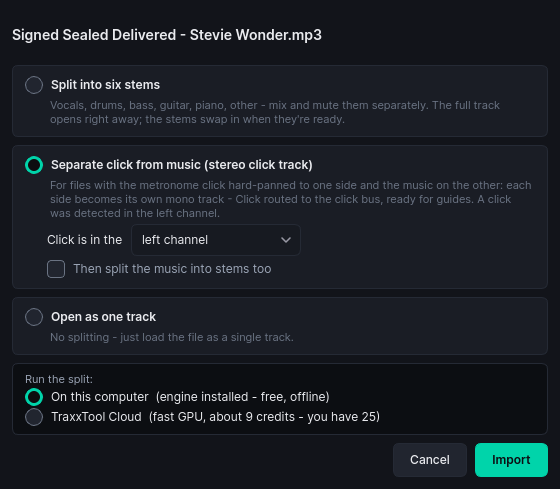
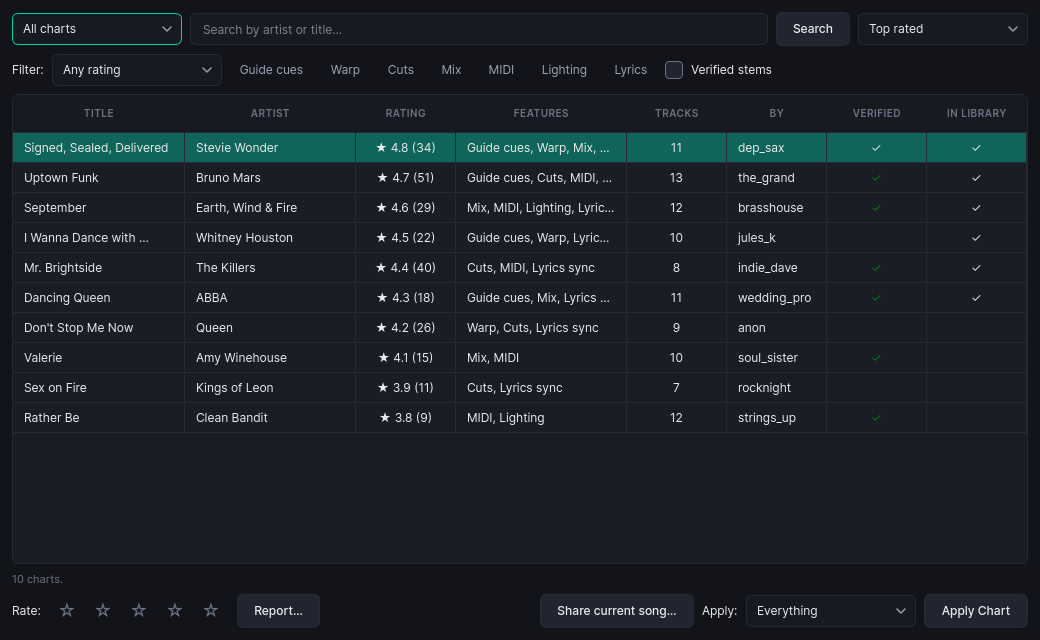
Pull multitrack stems straight into your library from direct links or Google Drive, split full mixes into stems, and let the track naming sort itself out while downloads land. Community plugins can add more sources, including popular backing-track providers.
Library
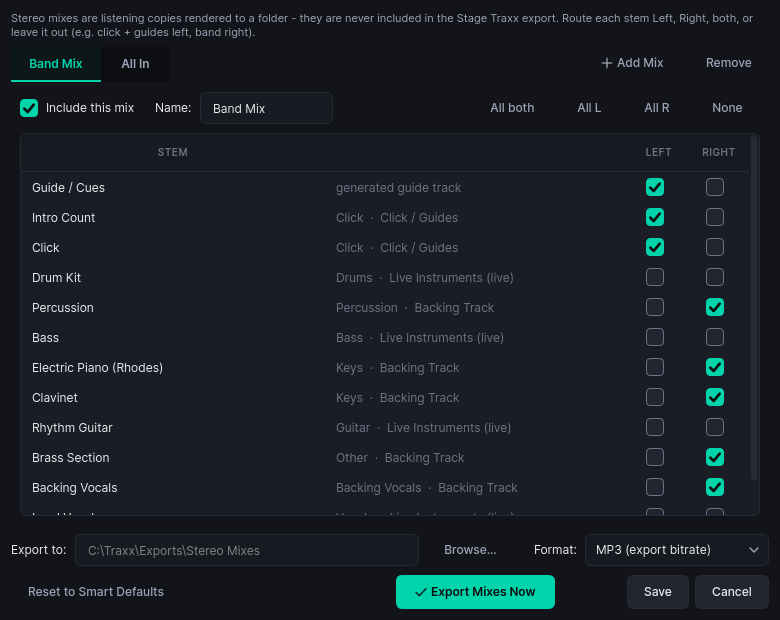
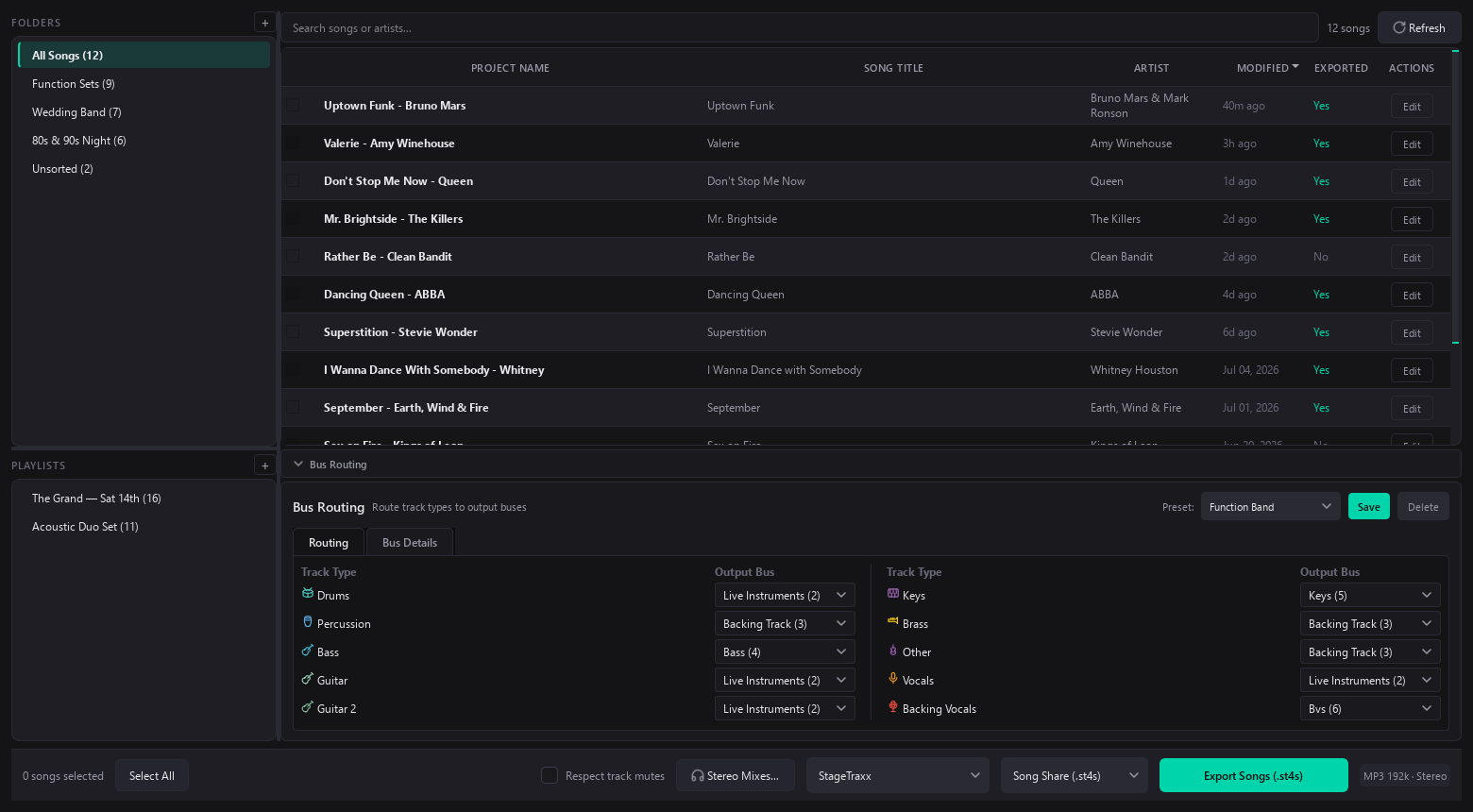
Every song project in one place: search, folders, playlists, batch selection, stereo rehearsal mixes, and one-click export of whole setlists to Song Share, Stage Traxx 3, or, with Pro, Full Backup and Merge.
Workbench
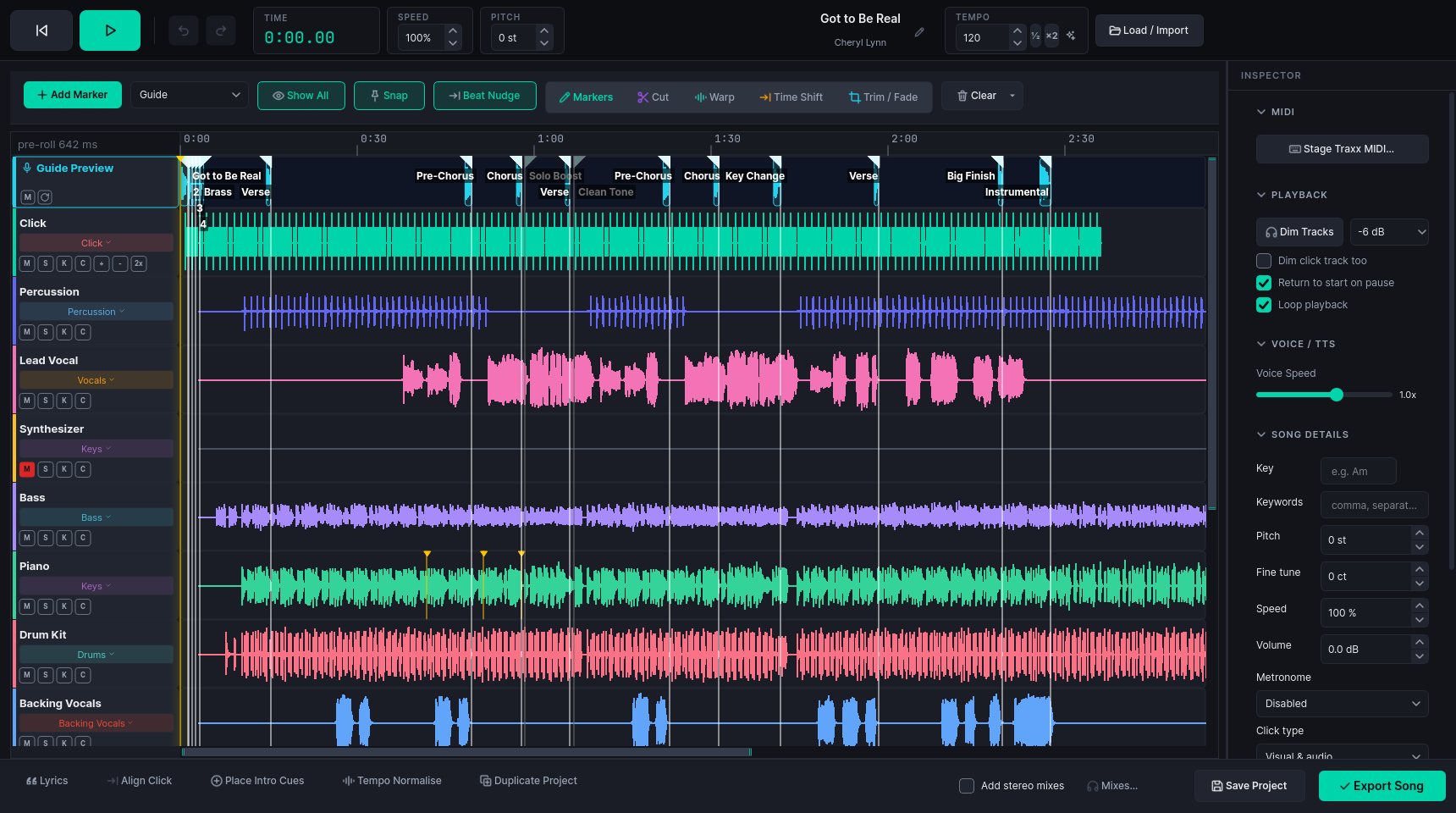
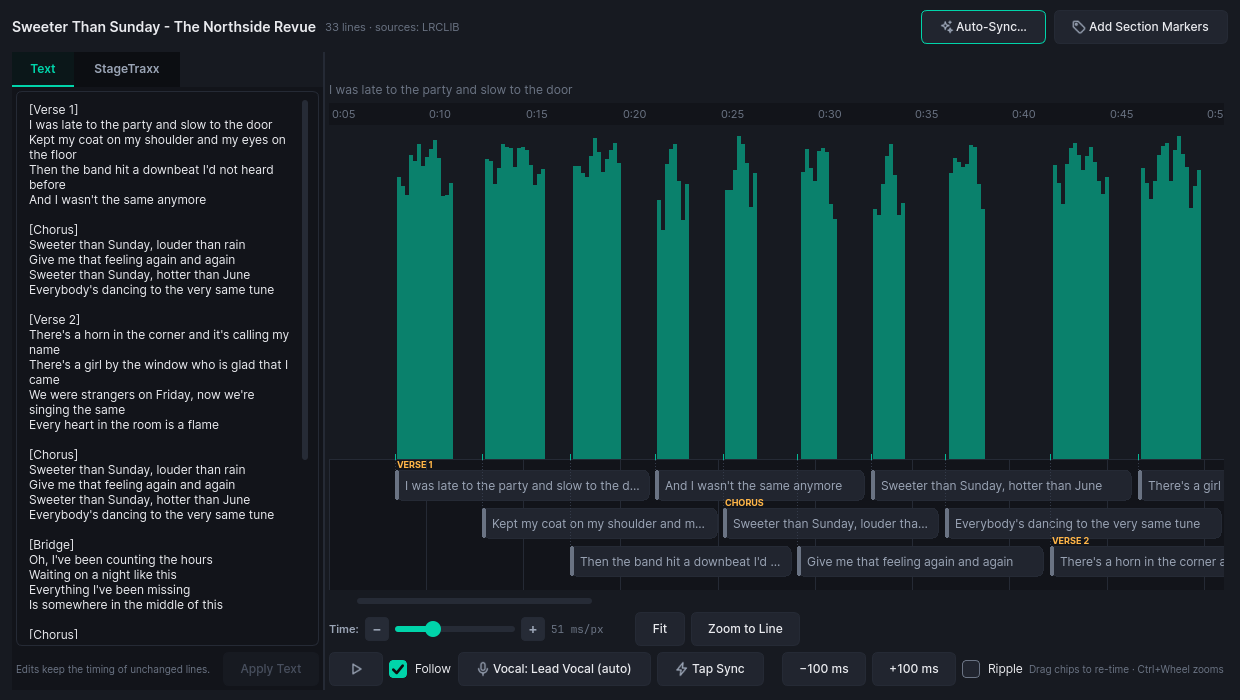
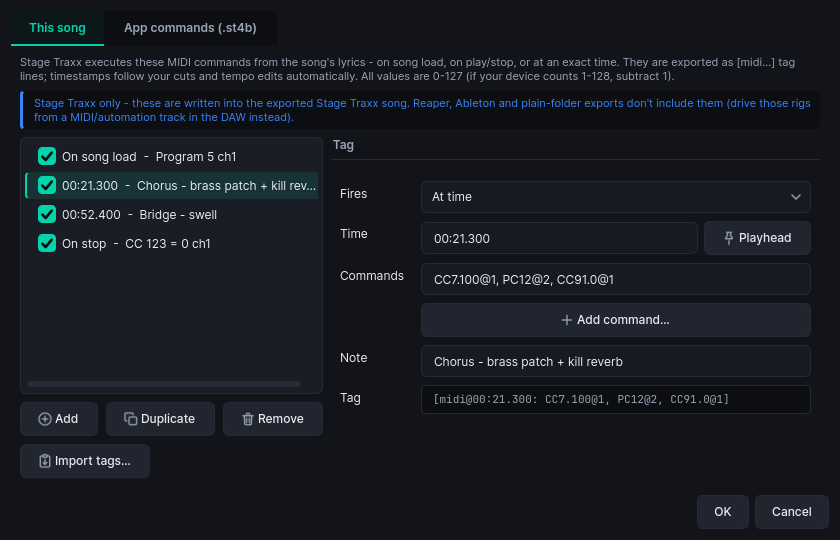
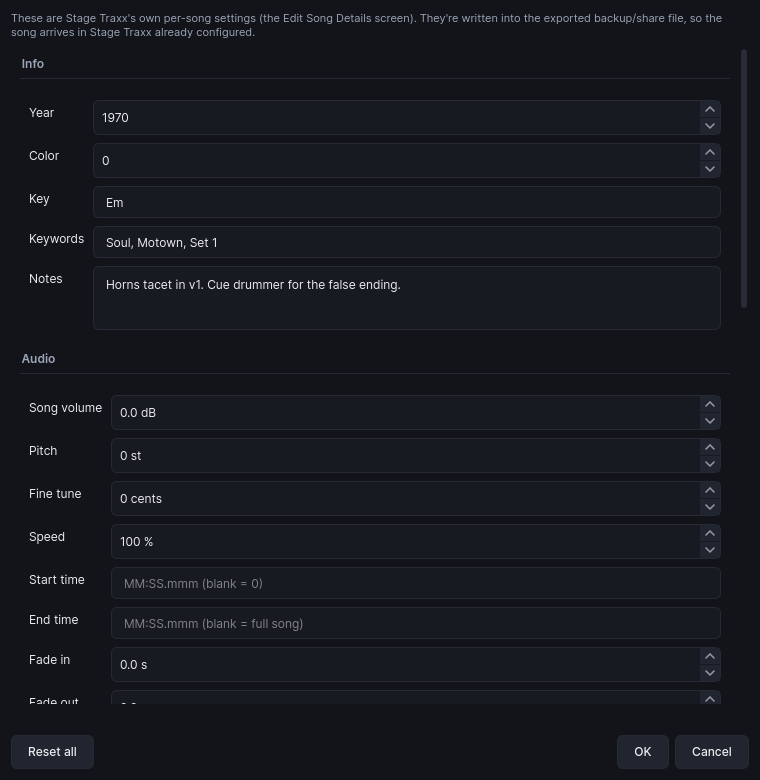
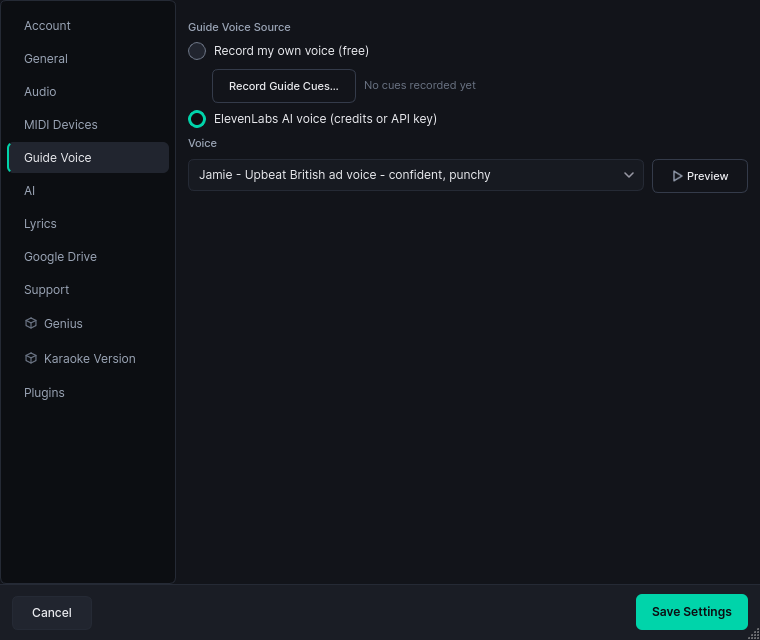
The DAW-style room below: markers, cuts, warp, time-shift, trims and fades, lyric sync, guide voices and MIDI cues. Then export straight to Stage Traxx.
Rig
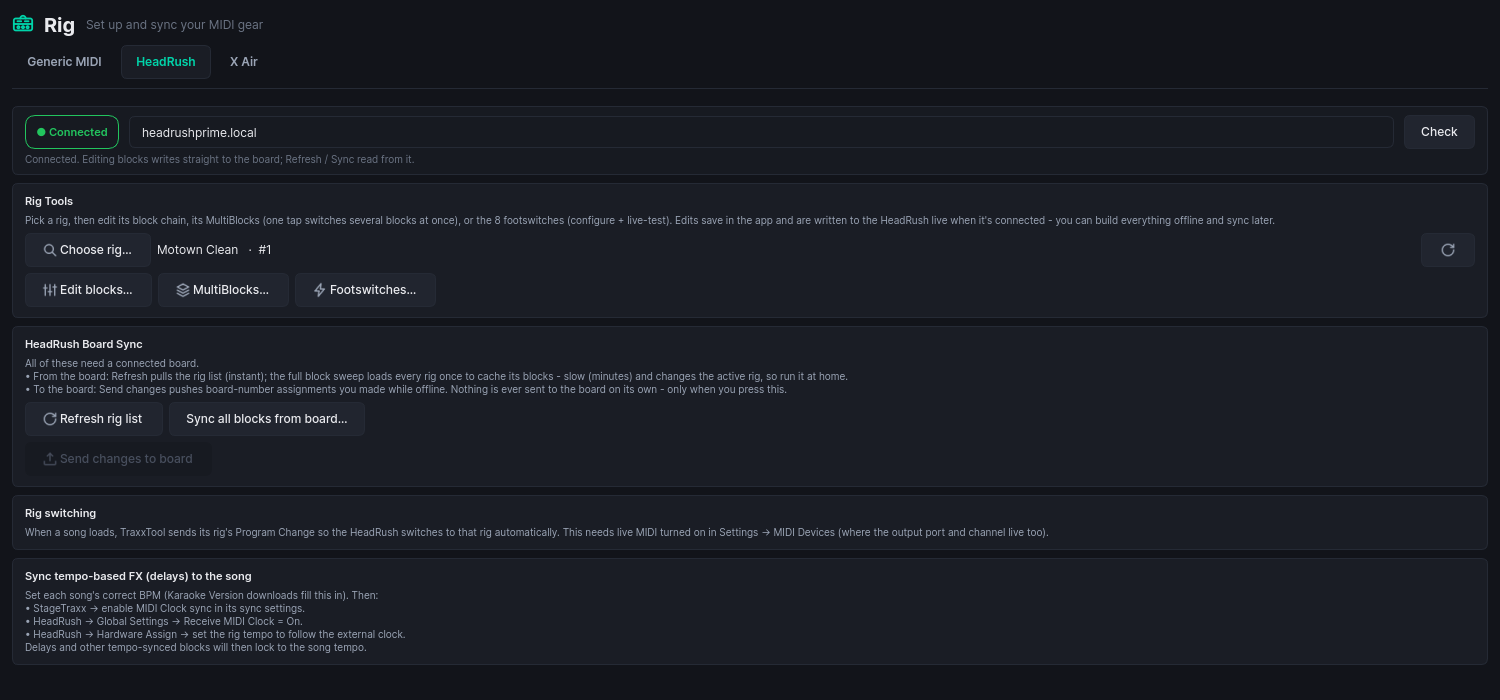
Your MIDI gear in one place: pick each song's HeadRush or Kemper rig, name your X Air faders, fire QLab cues, and set up anything else that answers to MIDI. Build it all offline, then sync to the hardware when it is on the network. Twenty-three integrations, all free. On the night, lights and video play through ShowVizz, the free stage player.
Medley Studio
Pick songs from your library and get one project back: an order, a tempo for every join, a key plan that stays singable, and a crossfade on every track. Play it and edit it while it plays. Building one is free at any length.

ShowVizz, the free stage player
If you build a light and video show in TraxxTool, ShowVizz is what plays it at the gig. It takes MIDI from your Stage Traxx 4 iPad, follows the song you started, and drives your DMX rig and the screen behind you.
Windows
Windows 10 / 11 · 64-bit
macOS
Apple Silicon or Intel
Not sure? Apple menu, About This Mac: "Chip" means Apple Silicon, "Processor" means Intel.
Linux
x86-64
iPad and iPhone
From the App Store

Android
Phones and tablets

Verify your download (SHA-256)
Windows: f25897ebbb46d4962bce56767b904d26e125b4a7e570e9019410f56dd586ce92
Windows .zip: 9e8c17bb57d6e83e0d79b5ca7aade2d9ea0f66695c3742e88a0408e15a19ed9f
macOS Apple Silicon: d1c98aa018ee269bce91bcc96c37c8692f5b32d8c58dfbef21fe94bee264e9cd
macOS Apple Silicon .zip: fe9d36d09adc75cda193c2996a5d7a7c381755e632a15ab40bbe8db90552536f
macOS Intel: 2f136f26969b19684ff229d0516dfcb39bfe3da27f8b8df98843bd1aa0233183
macOS Intel .zip: 3adf70ec369f7a9b6bf3786339e68f727e7b13cca2c5861f2b20419589b04a98
Linux: 8cc7ebf71f83ea1c85dacc55df9e2c7439b5e9fcfa49c3e6cfb25a721a052c03
Android APK: 4e34512a6e9187ee9ee64ec40bc2b375cff6d47fc9181a3014f33af219d2066b
iOS relink kit: d2185be4e149358b3ce70e4f00e191060ac017b3dca496f17604d02316381768
iOS relink kit (LGPL), 9 MB · Licences
What's new in 1.5.0
Added Stage App pages and audience voting to every ShowVizz player.
Added
- Stage App pages on Mac, Linux, iPad and Android. Every ShowVizz player now draws a show's pages. On an iPad, cue clips play under the page rather than over it.
- The page engine downloads itself the first time a show needs it, and stays up to date. The show plays while it downloads.
- Audience voting needs no sign-in. A show exported from TraxxTool with audience voting opens its vote when it loads, on any player. The code and QR go on the screen.
- The App panel says why votes aren't running. For example: no internet, the show needs exporting again, or the show is already voting on another player.
Fixed
- The voting QR and band pictures show on Stage App pages. Both were missing on Windows.
- Resizing the video window no longer closes ShowVizz when a Stage App page is up, and the page redraws at the new size.
- A vote carries on after a restart. If ShowVizz closed mid-round, the round on screen now takes votes again when it reopens.
- Notices no longer push the screen around. They float as cards you can close, and the page stays where it is.
- "1 second ago", not "1 seconds ago", and the same for other counts of one.
Already running TraxxTool?
It can hand you the player instead. TraxxTool knows which show format it writes, checks that against the published player, and gives you the build that opens your shows, so there is no wrong one to pick.
Optional community add-ons
Free plugins that extend TraxxTool. They are separate from the product, and you install them at your own discretion.
Before you install one
Plugins are not part of the TraxxTool product and are not covered by its license. Nothing you buy from us (Pro, Cloud or credits) includes or depends on them. They are community-made, free, unsupported, and used entirely at your own risk, and each shows its own notice before it installs. See Terms §6.
Pull stems from your backing-track provider
A community plugin can add popular backing-track providers as a source in the Downloader, so the individual stems of tracks you already own drop straight into a ready-to-edit project. TraxxTool does not sell or license this. You use your own provider account, at your own risk.
The full list of add-ons, including this one and Genius lyrics, lives on the Plugins page. You manage them in the app under Settings, then Plugins.
Getting started
- Install and open. No extra dependencies on any platform. The audio engine and ffmpeg are bundled.
- Import stems. Drop a folder of stems or use the Downloader, and let AI auto-categorize the tracks.
- Polish. Sync lyrics, place vocal guides and count-ins, cut the arrangement, add MIDI cues.
- Export. Song Share (
.st4s) is free forever. Pro unlocks Full Backup and merging into an existing library. Still on Stage Traxx 3? The same export writes.st3backups for it.
The AI tools (guide voices, lyric transcription, track cleanup) are optional. Sign in with Google to run them on credits, with 25 free to start and the price shown before every job, or bring your own ElevenLabs and LLM keys in Settings and pay us nothing. Everything else works without an account. See pricing.